
Point out what needs attention
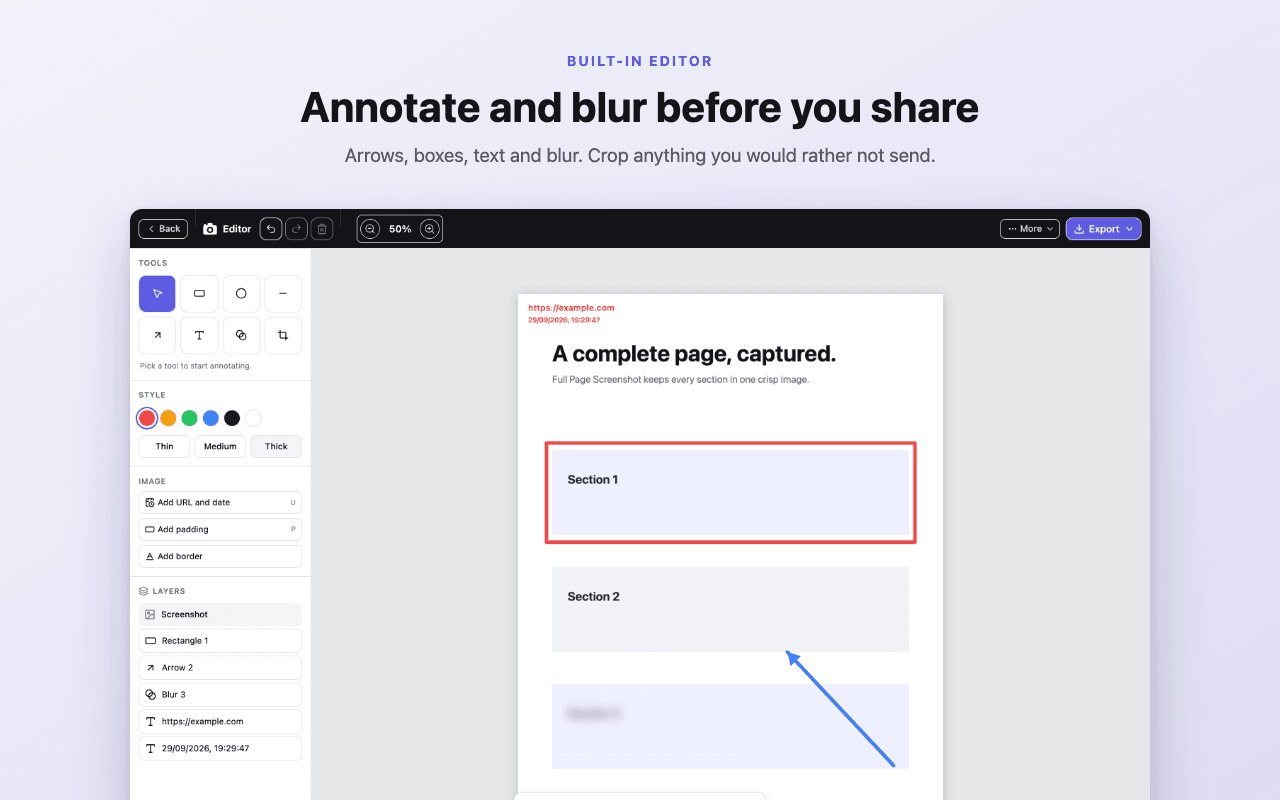
Crop the page, add text, or draw arrows and shapes. Use undo and redo to refine your feedback.
Capture an entire webpage, even the parts you can’t see. Then crop, annotate, blur, and export it in the format you need.
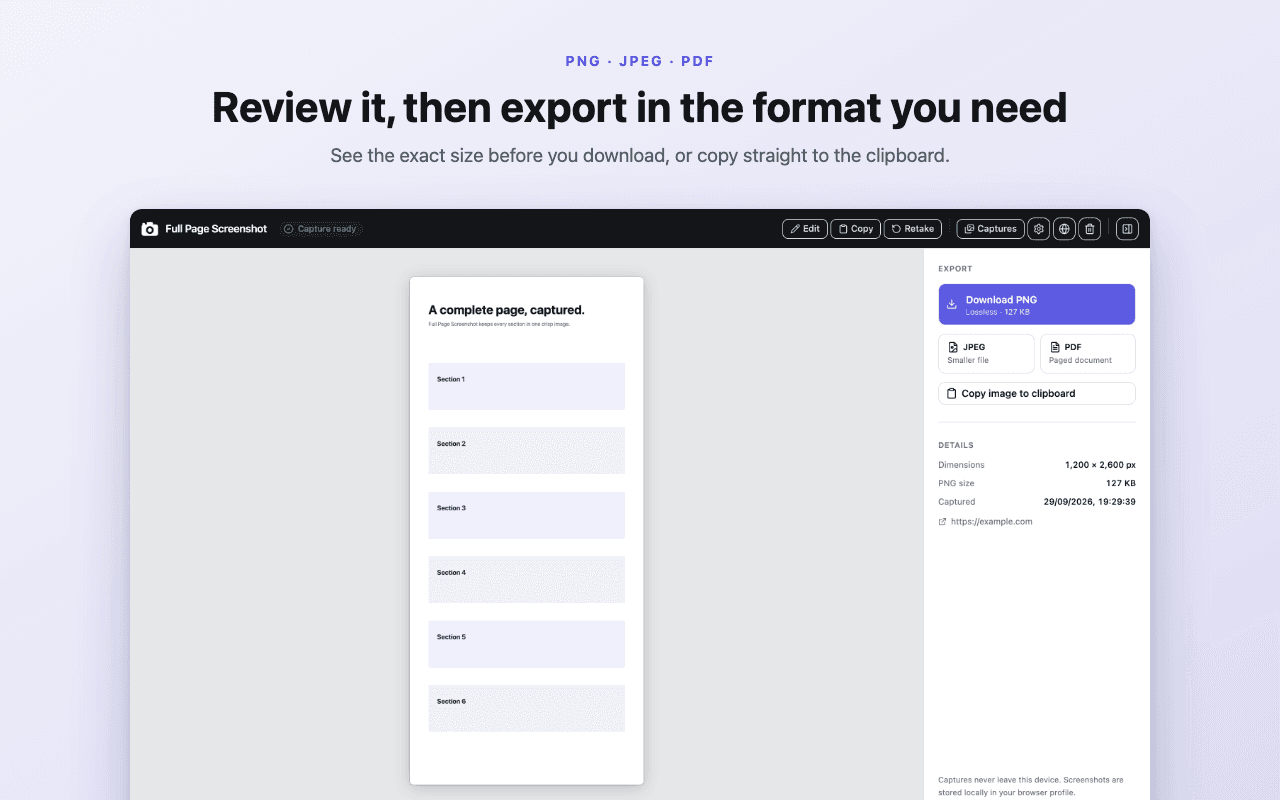
Review your screenshot and save it as PNG, JPEG, or PDF.
Capture. Edit. Export. All in your browser.
SIMPLE FROM START TO FINISH
No setup, no complicated workflow. Get the full picture in seconds.
Reports, articles, dashboards, receipts, or anything else your browser can show.
Click the extension icon or press Alt + Shift + P. We scroll and stitch the page for you.
Crop, annotate, or blur in the editor. Export as PNG, JPEG, or PDF.
SEE IT IN ACTION
A 25-second tour: capture, review, annotate and export.
TAKE A LOOK INSIDE
Explore the capture, editor, and export screens.
Use the editing workspace to add text, shapes, and arrows, or blur selected areas before you share.
MADE FOR REAL WORK
Keep the complete context when one screen simply isn’t enough.
EVERYTHING INCLUDED
No account, no watermark, no usage cap. Install it and use every feature for free.
 Add to Chrome
THE RIGHT FORMAT FOR THE JOB
Choose the file that fits where your screenshot goes next.
Lossless image
Choose a lossless image for small text, UI details, and annotations. Copy it to your clipboard or save the file.
Explore PNG →Save a lossless image for interface reviews, documentation, and screenshots with small text.
Copy the PNG straight to your clipboard when you want to paste it into a message or issue.
Create a compressed image for email attachments, campaign references, and everyday sharing.
Adjust image quality in the extension’s settings to balance file size and visual detail.
Save long reports, receipts, and research pages as a document you can file or print.
Choose A4 or Letter paper, portrait or landscape, and optional page title and URL information.
PDFs contain images of the captured page; they preserve its appearance rather than converting it into editable text.
CAPTURE IS JUST THE START
Give your screenshot context before it leaves your browser. Keep the useful parts, explain what matters, and choose what to share.
Explore the editing tools →Crop the page, add text, or draw arrows and shapes. Use undo and redo to refine your feedback.
Use the blur tool on areas you want to obscure, then check the exported image before sending it.
Captures are stored in the extension’s local screenshot library. Export important files to keep a separate copy.
PROCESSED ON YOUR DEVICE
Capture, editing, and export run locally. No account is needed, and you decide when to download or share the result.
COMMON QUESTIONS
Add to Chrome — free